Resize Raspberry Pi Partition Easily Using raspi-config
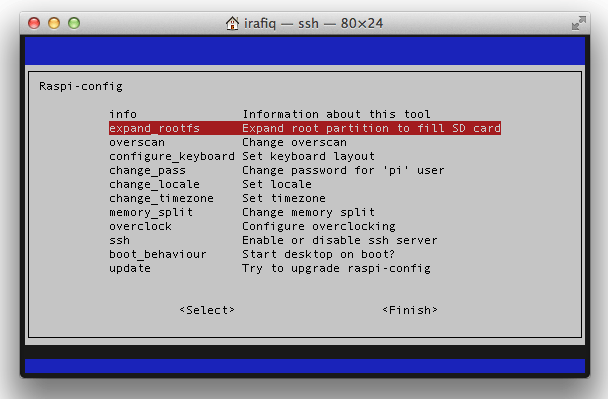
I have been playing with my Raspberry Pi for couple of weeks now and recently I ran into this issue of low space. Even though I had 8GB memory card it was only partitioned to use 4GB. After Googling for sometime I found there is a built in tool with Raspberry Pi which helps to resize the partition easily ie raspi-config.
Please check if your Raspberry Pi is running on Debian GNU/Linux wheezy/sid
root@raspberrypi:~# cat /etc/*-release
PRETTY_NAME="Debian GNU/Linux wheezy/sid"
NAME="Debian GNU/Linux"
ID=debian
ANSI_COLOR="1;31"
Start raspi-config
# sudo raspi-configSelect expand_rootfs
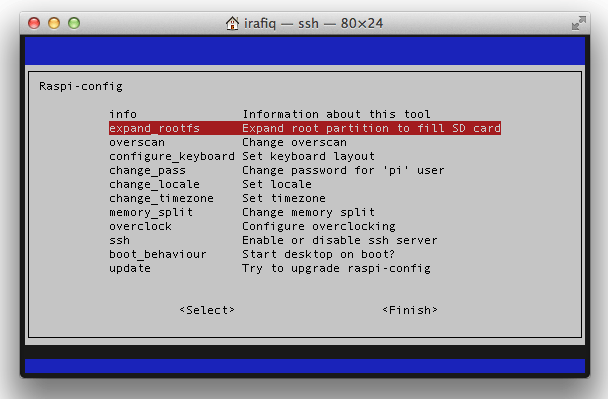
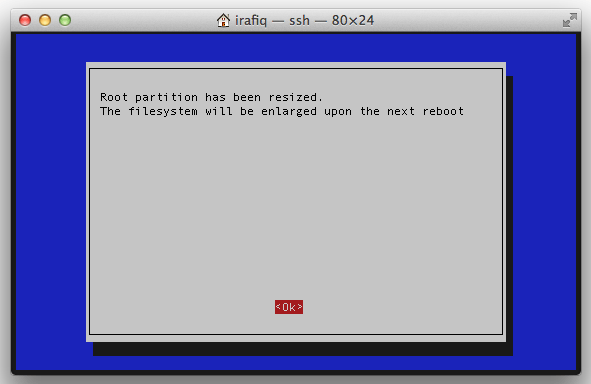
raspi-config will configure Raspberry Pi to resize the partition during next reboot
raspi-config will request to reboot
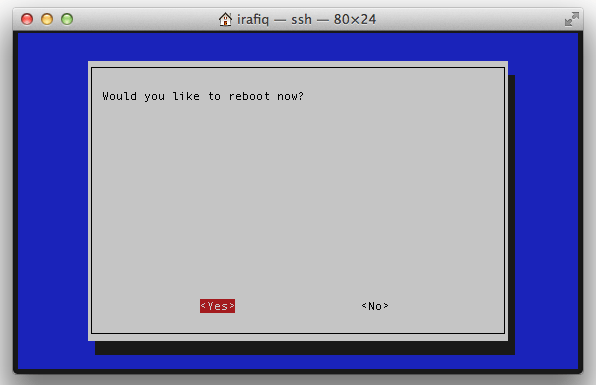
During reboot process you can see that partition is getting resized
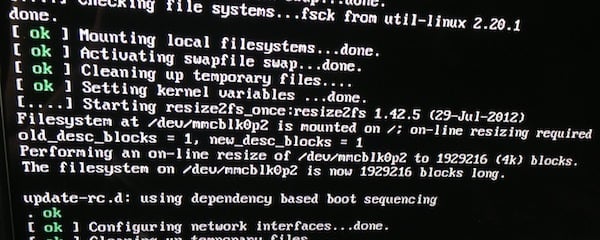
Once reboot is completed you can see more space on your rootfs.
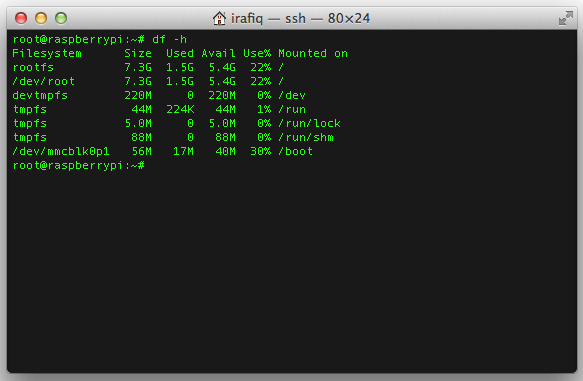
I think this is the best way to resize the partition. No data loss or any special tool required to complete this operation :-D
- Category
- Tags

Discussion
No comments yet